Hexo编辑Markdown的问题及解决方案
使用Hexo框架,编写Markdown时遇到了一些坑,现将解决方案记录在此以备查阅。(标题带删除线的章节,代表方案有变更,不再使用)
使用pandoc解析markdown
pandoc介绍见 pandoc官网。
卸载已有的解析器(包括hexo-renderer-marked,
hexo-renderer-kramed,
hexo-renderer-marked-it等),安装hexo-renderer-pandoc,
在hexo配置文件_config.yaml添加pandoc设置1:
1 | pandoc: |
-f选项是输入的markdown格式,-t选项是输出格式,加入--mathjax支持数学公式。
解决mathjax加载渲染公式过慢的问题
mathjax加载慢会导致打开网页时,公式会短暂地显示为Tex代码,想快速加载公式,可以使用插件hexo-filter-mathjax,在服务端渲染。这会在hexo
generate的过程中,将公式转换为svg矢量图,直接显示到网页上。
在_config.yaml添加插件参数配置:
1 | # setting for hexo-filter-mathjax |
存在的问题是当公式过长时,渲染出的svg图片会溢出所在容器 
在配置文件中_config.butterfly.yml中开启数学选项
1 | math: |
可以为过长公式添加横向scrollbar解决公式溢出问题 
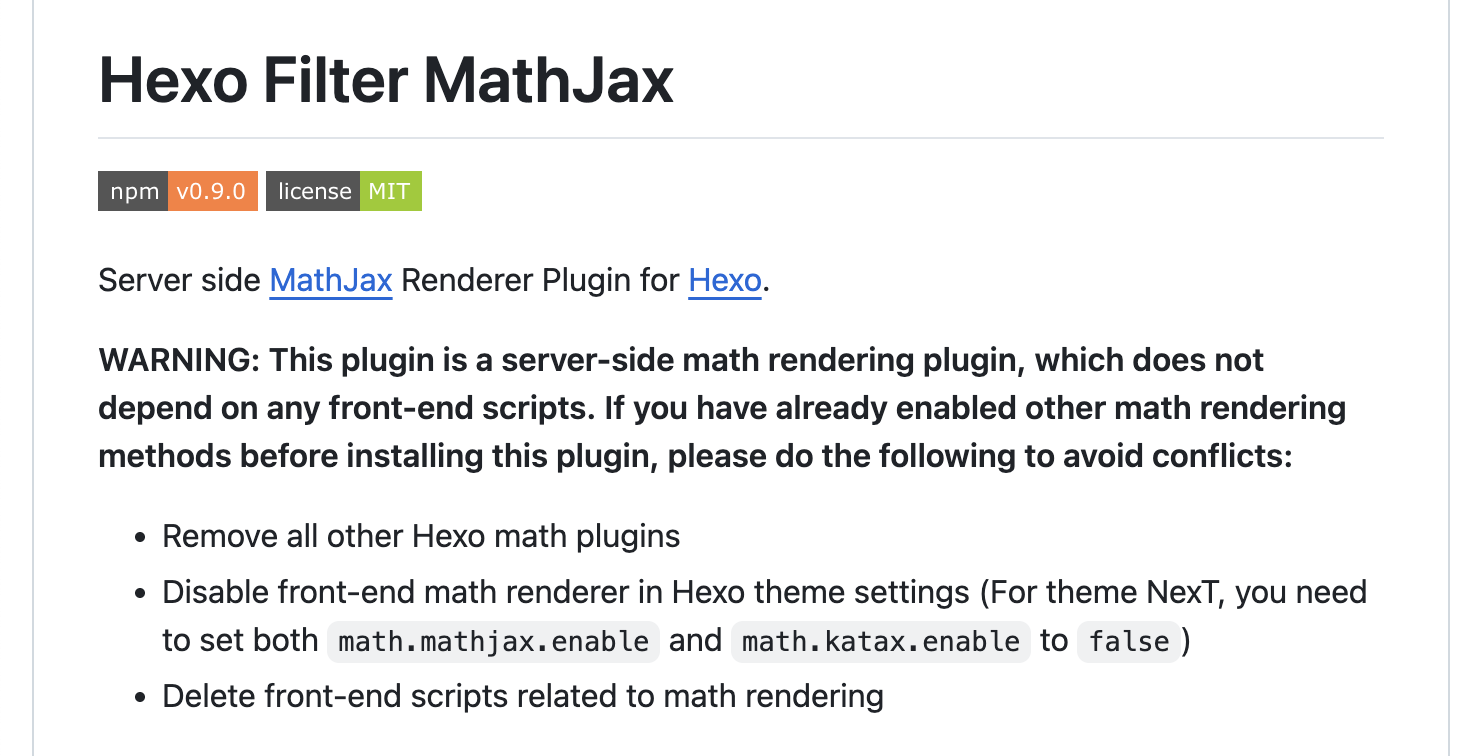
虽然没有理解为什么,这样的设置和hexo-filter-mathjax作者要求的关闭网站配置中使用mathjax的选项相违背(见下图2),不过问题先这样解决了。
Markdown代码换行渲染结果也换行的问题
问题:在markdown代码中换行,渲染结果也跟着换行。这不符合通常markdown的规则。通常在markdown代码中换行,是不会渲染出换行的。否则如果要写很长的一段文本,就必须写在同一行中,不方便编辑维护。
关于这个问题搜到一个解决方案3。链接里的方法是针对使用了hexo-renderer-marked解析器的情况。在我的配置中使用的是kramed解析器,对链接中的配置方案稍作修改:即在hexo配置文件_config.yaml中,加入一下配置代码:
1 | kramed: |
重新生成网页
hexo clean && hexo serve,刷新网页即可看到回车问题已修复。
markdown中中文句子换行,渲染结果出现多余空格
还剩下一个问题就是在写markdown时中文换行,渲染结果会多出一个空格。
例如
1 | 换行 |
渲染结果:

这可能是为英文写作而设计的,换行前后的单词之间在渲染结果中插入空格来隔开两个单词,使用中文写作时空格就多余了。目前没有找到很好的解决方案,可以只在标点符号后换行来规避,因为标点符号后多出的空格在视觉上不明显。或者开启编辑器的自动换行(word wrap)功能,编写时一整段文字写在同一行中。
以下是已弃用的方案
Markdown公式无法渲染
(更新:更换 pandoc +
hexo-filter-mathjax 后问题解决)
由于Katex还未能支持公式编号引用4 5 6,本站使用了mathjax解析器。Markdown公式有时无法渲染带下标的公式,例如E_{mn},也无法识别公式内的换行符号\\。
参考 在Hexo中渲染MathJax数学公式 中的方案可解决。
步骤如下:
- 第一步:将Hexo原有的markdown渲染器marked换成kramed
1 | npm uninstall hexo-renderer-marked --save |
- 第二步:修改kramed转义规则
找到文件 node_modules\kramed\lib\rules\inline.js
修改第11行的escape变量值,取消对\,{,}对转义:
1 | // escape: /^\\([\\`*{}\[\]()#$+\-.!_>])/, |
修改第20行em变量:
1 | // em: /^\b_((?:__|[\s\S])+?)_\b|^\*((?:\*\*|[\s\S])+?)\*(?!\*)/, |
记得执行hexo clean清空缓存,重新生成网页,查看是否渲染成功。
Markdown使用带Tooptip的脚注
(更新:
更换渲染器为hexo-renderer-pandoc,不使用hexo-reference,可以自动编号脚注。)
安装插件hexo-reference,使用方式见 hexo-reference
github主页
缺陷:但只支持使用数字作为引用label,且不能自动编号。